

Introduction
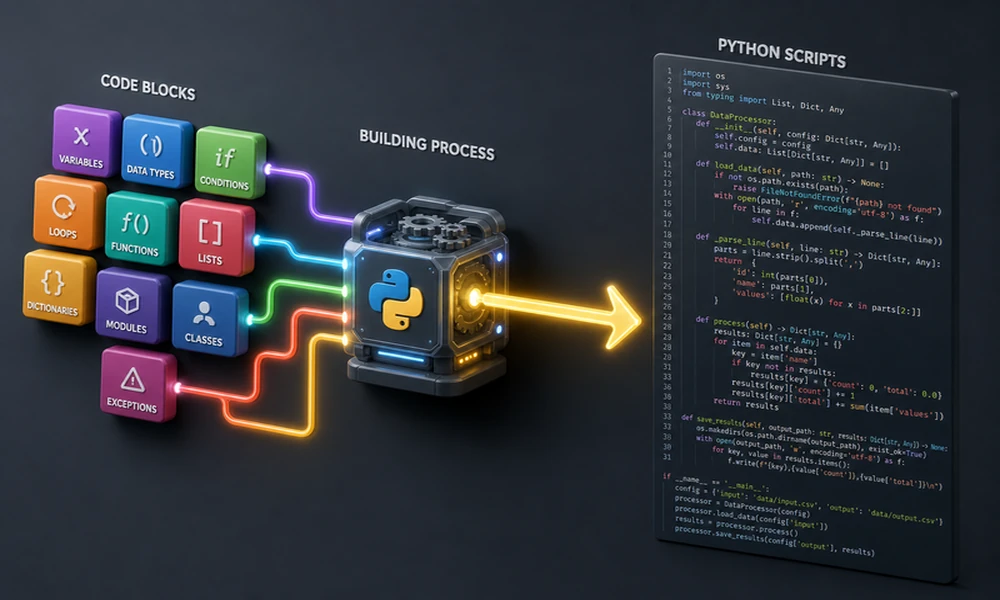
Scratch coding is often one of the first programming experiences a child has. Instead of typing complicated commands, children arrange visual coding blocks to create games, animations, interactive stories and simple digital projects.
This visual approach makes programming easier to understand because children can see how each instruction affects the project. When a character moves in the wrong direction or a game does not respond as expected, the child can review the blocks, change the instructions and test the project again.
For parents in Singapore, Scratch can provide a practical way to turn screen time into active learning. Rather than only watching videos or playing completed games, children learn how to design their own characters, create rules, control movement and solve problems.
However, starting Scratch does not mean a child must immediately understand every programming concept. A suitable learning experience should begin with simple actions and gradually introduce more complex ideas as the child becomes more confident.
This 2026 guide explains what Scratch coding is, how it works, what children can create, which programming concepts it teaches and how parents can decide whether a structured Scratch coding programme is right for their child. It also explores how Meta Robotics combines coding, creativity and hands-on problem-solving to help children build a stronger foundation for future technology learning.
Scratch Coding for Kids: The Answer in Brief
Scratch coding is a visual form of programming in which children connect blocks to control characters, sounds, animations and game actions. Each block represents an instruction, such as moving a character, playing a sound, changing a scene or checking whether two objects have touched.
Because the blocks fit together in specific ways, children can focus on the logic of the programme without becoming distracted by spelling errors or complicated punctuation.
Scratch is particularly suitable for beginners because children can see the result of each change almost immediately. A young learner can begin with a simple animation and gradually progress towards interactive games, scoring systems, multiple levels and more advanced projects.
The most important outcome is not merely completing a game. It is learning how to plan, test, identify problems and improve a solution.
Key Takeaways
Scratch gives children an accessible introduction to coding by replacing typed commands with visual blocks. This allows beginners to concentrate on ideas, instructions and problem-solving before moving towards more technical programming.
Children can use Scratch to create animations, interactive stories, quizzes, games, simulations, music projects and digital art. These projects introduce important coding concepts such as sequencing, events, loops, conditions, variables and operators.
Scratch is generally most useful when children have opportunities to make their own decisions rather than copying every instruction from a teacher. Guided projects can introduce a concept, but children should eventually be encouraged to change the project, test new ideas and create something personal.
Parents do not need programming experience to support a child who is learning Scratch. Asking the child to explain the project, describe a problem and show how it was solved can be more valuable than providing the answer.
A structured programme can help children progress beyond isolated tutorials. At Meta Robotics, coding is connected with games, animation, robotics, design and hands-on STEM challenges so that children can apply their learning in different situations.
What Is Scratch Coding?
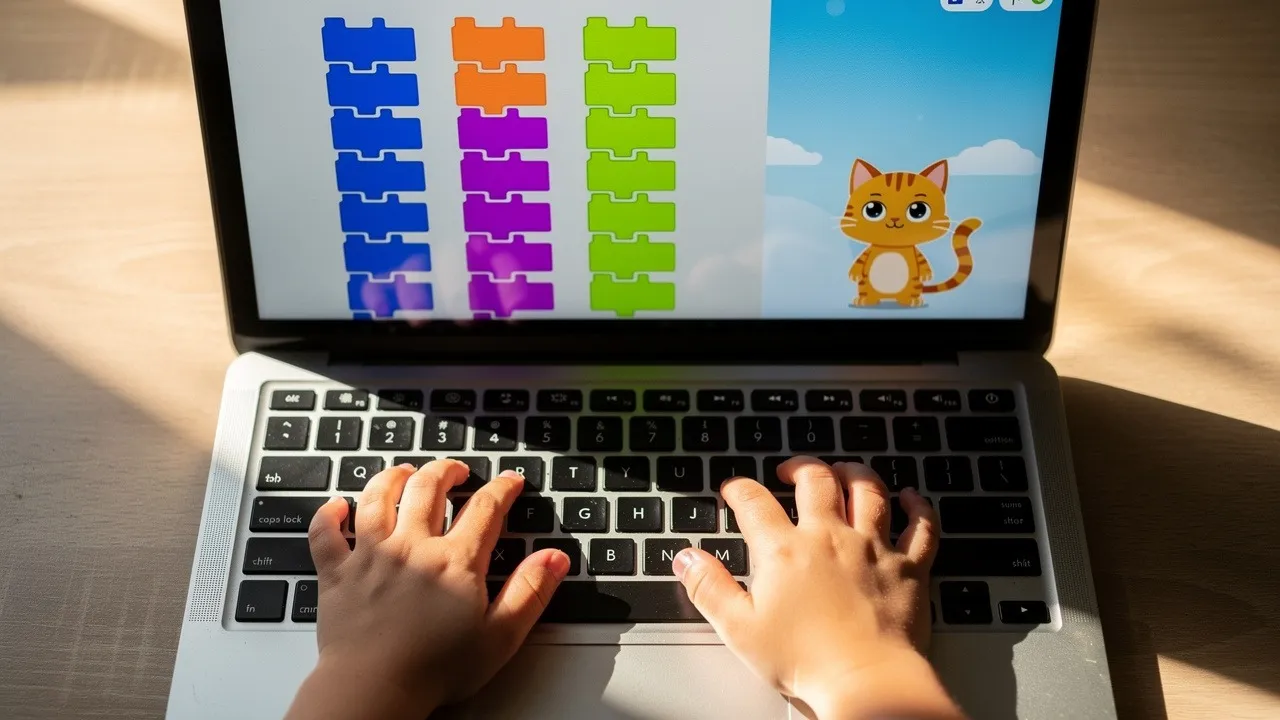
Scratch coding is a visual programming method that allows learners to create digital projects by arranging blocks into sequences.
Each block performs a particular action. One block may tell a character to move, while another may change its appearance, play a sound, wait for a certain amount of time or respond when a key is pressed.
The blocks are grouped according to their functions. Children can combine movement, appearance, sound, events, control, sensing, variables and mathematical operations to create a complete programme.
The visual format does not mean Scratch avoids real programming. The same logic used in Scratch appears in more advanced programming languages. The main difference is that Scratch presents the logic in a format that is easier for beginners to see and manipulate.
For example, a child building a catching game may programme an object to fall repeatedly from the top of the screen. Another character may move left and right when the arrow keys are pressed. A variable records the score whenever the player catches the falling object.
Although the project looks like a simple game, the child is already using events, movement, repetition, collision detection and data storage.
Why Is Scratch Suitable for Beginners?
Traditional programming can feel discouraging to beginners because a small typing mistake may prevent an entire programme from working.
Scratch reduces this difficulty by using blocks that connect only when their instructions are compatible. Children can spend more time thinking about what they want the programme to do and less time correcting punctuation or spelling.
The visual layout also helps children understand the order of instructions. They can see which action happens first, what repeats and what should occur only when a particular condition is met.
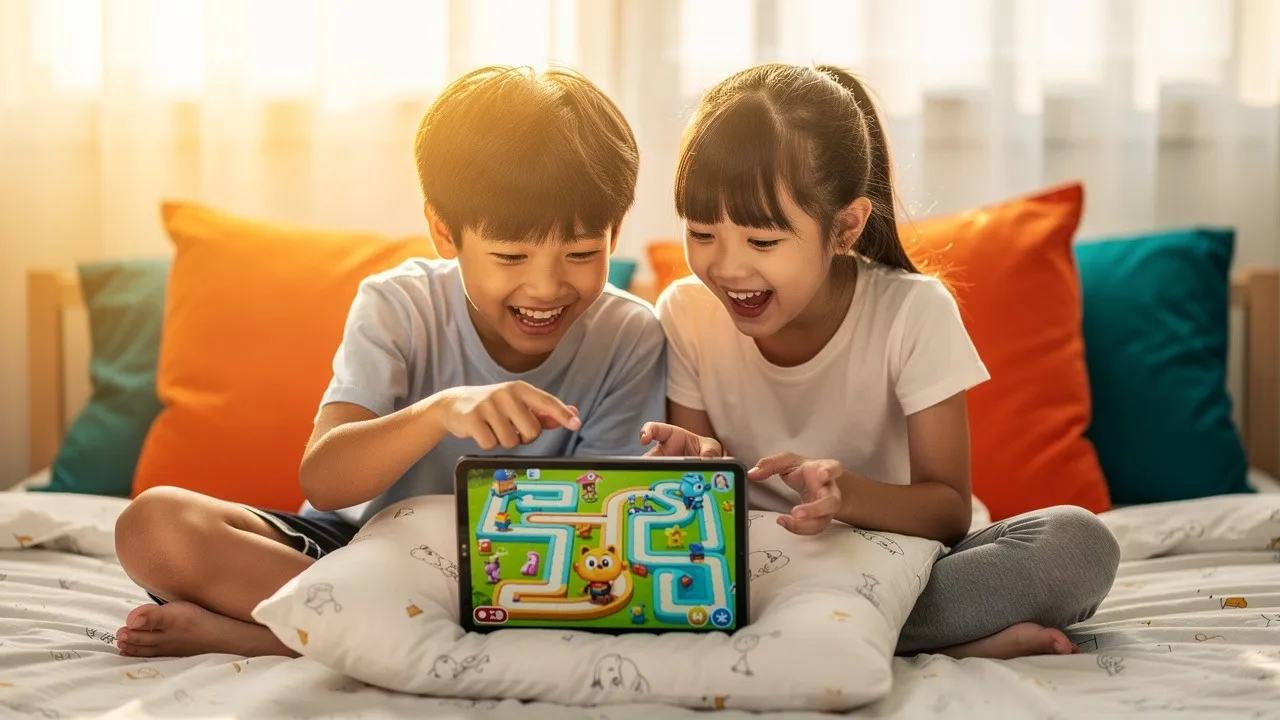
Results appear quickly. When a child changes a movement block, the character moves differently. When a sound block is added, the project produces an immediate response. This connection between an instruction and its outcome makes abstract programming ideas more concrete.
Scratch also leaves room for creativity. Children are not restricted to completing puzzles with only one correct answer. They can choose the project theme, characters, backgrounds, sounds, rules and difficulty level.
A child who enjoys storytelling can create an animated adventure. A child interested in games can design challenges and scoring systems. A learner who likes art or music can create interactive visual or sound projects.
This flexibility makes Scratch useful for children with different interests and learning styles.
What Is the Best Age to Start Scratch Coding?
There is no single starting age that suits every child.
A child may be ready for Scratch when they can follow short instructions, recognise basic patterns, use a mouse or trackpad and remain interested in a project for a reasonable amount of time.
Some children can begin exploring simple Scratch activities during the early primary school years. They may need help reading instructions and organising their ideas, but they can still create basic movement and animation projects.
Children aged approximately seven to nine are often ready to explore events, loops, simple conditions, game controls and interactive stories. At this stage, the focus should remain on visual learning, experimentation and small project successes.
Older primary school students may be ready for more complex game mechanics, variables, scoring, timers, multiple scenes, custom blocks and robotics applications.
Teenagers who are new to coding can also begin with Scratch. The platform may help them understand programming logic before progressing towards text-based coding.
Parents should therefore consider the child’s readiness rather than relying only on age. An older beginner may need introductory guidance, while a younger child with previous experience may be ready for more challenging projects.
How Does Scratch Coding Work?
A Scratch project usually contains characters or objects that perform actions within a digital scene.
The characters and objects are controlled by scripts. A script is a connected group of coding blocks that tells an object what to do.
A project may begin when the child selects a start command. One character may then move across the screen, speak, change its appearance or interact with another object.
Different scripts can operate at the same time. One script may control movement while another checks whether the character has touched an obstacle. A third script may update the score.
This introduces children to the idea that a programme is made from several connected systems rather than one long instruction.
Children can also change the visual appearance of their projects by creating different scenes and character designs. Sounds can be added to actions, dialogue or game events.
As projects become more advanced, children can create rules governing how the project responds to the player. They may decide what happens when time runs out, when the player reaches a particular score or when a character touches a certain object.
What Can Children Create With Scratch?
Children can begin with simple animations in which a character moves, speaks and changes appearance.
These projects are useful because they introduce the basic relationship between instructions and visible actions. A child may programme a character to walk across a scene, introduce itself and perform a short dance.
Interactive stories are another natural starting point. Children can create characters, write dialogue and allow the viewer to influence the story by clicking an object or choosing between different actions.
Scratch can also be used to create quizzes. A project may ask the player a question, evaluate the answer and update the score. This introduces input, conditions and variables in a practical context.
Games are often the next stage. Children can build catching games, mazes, racing challenges, platform games and obstacle courses. As their skills develop, they can add levels, timers, lives, sound effects and increasingly complex rules.
Children interested in science or mathematics can create simple simulations and learning tools. A project might demonstrate movement, measurement, patterns or cause-and-effect relationships.
Music and digital art projects can respond to keyboard input, movement or sound. These projects show children that coding can be connected with creativity rather than treated only as a technical subject.
Which Programming Concepts Does Scratch Teach?

Scratch introduces several fundamental ideas that children will encounter again if they later learn text-based programming.
Sequencing
Sequencing means placing instructions in the correct order.
A character may need to move before speaking, or a game may need to reset the score before play begins. If the order is incorrect, the project may behave differently from what the child intended.
This teaches children to think carefully about the steps required to achieve an outcome.
Events
Events cause something to happen within a project.
An event may occur when the project begins, when a key is pressed, when a character is clicked or when one part of the project sends a message to another.
Children learn that a programme can respond to actions rather than simply following one fixed sequence from beginning to end.
Loops
Loops repeat an instruction or group of instructions.
Instead of adding the same movement block many times, a child can use a loop to repeat the movement. Loops can control walking animations, countdown timers, music and continuously moving objects.
This introduces a more efficient way of organising code.
Conditions
Conditions allow a programme to make decisions.
A character may move only when a key is pressed. A player may lose a life when touching an obstacle. The game may end when the score reaches a particular number.
Children begin to understand that different outcomes can occur depending on whether a condition is true or false.
Variables
Variables store information that can change while the project is running.
Common examples include scores, time, health, speed and the number of collected objects.
When children use variables, they learn that information can be stored, updated and displayed. This is an important foundation for understanding how programmes work with data.
Operators
Operators allow children to perform calculations, compare values and combine words.
A game may use an operator to determine whether the score is greater than a target. A quiz may compare the player’s answer with the correct response.
Operators connect coding with mathematical and logical reasoning.
Parallel Actions
Scratch allows several scripts to run at the same time.
A character may move while the game checks for collisions and plays background music. Children learn that different parts of a programme can operate together.
Debugging
Debugging is the process of identifying and correcting problems.
When a project does not work as expected, the child needs to determine which instruction may be causing the problem. They can test one change at a time and observe the result.
Debugging helps children understand that mistakes are part of the learning process rather than proof that they are not good at coding.
How Does Scratch Develop Computational Thinking?
Computational thinking is a structured way of approaching problems.
When children build a Scratch project, they first need to decide what they want to create. They then divide the project into smaller parts.
A game may require character movement, obstacles, scoring, sound and an ending condition. Each part can be developed and tested separately before being connected to the complete project.
This process is known as decomposition. It makes a complicated task feel more manageable.
Children also practise recognising patterns. If the same instruction appears several times, they may replace it with a loop or reusable block.
They use abstraction when they focus on the essential parts of the project and ignore details that do not affect how it works.
Algorithmic thinking develops when children plan a clear sequence of actions. They decide what should happen first, what should repeat and what conditions should lead to different outcomes.
Scratch makes these thinking processes visible because the blocks can be arranged, moved and tested directly.
Can Scratch Help Children Become More Creative?
Scratch allows children to move from consuming digital content to creating it.
Instead of following the rules of a finished game, they decide how their own game should work. They choose what the player must do, how points are earned and what happens when a challenge is completed.
Story projects encourage children to develop characters, settings, dialogue and different possible endings.
Animation projects allow them to explore movement, timing, expression and sound.
Even when children begin with a guided project, they can make creative changes. They may replace the characters, add a new level, change the rules or introduce an unexpected challenge.
The ability to personalise a project helps children develop a stronger sense of ownership. They are no longer completing a task only because it was assigned. They are making something that reflects their own ideas.
How Does Scratch Build Resilience and Problem-Solving Skills?
Scratch projects rarely work perfectly on the first attempt.
A character may move too far, the score may not update or the game may become too easy. Children need to inspect their coding blocks and work out what should change.
This creates a natural cycle of planning, testing and improvement.
Because the result is visible, children receive immediate information about whether their solution works. They can make a small adjustment and test the project again.
Over time, children may become more comfortable with uncertainty. They learn that not knowing the answer immediately does not mean they cannot solve the problem.
A supportive teacher can strengthen this process by asking questions instead of immediately fixing the code. The child may be asked what they expected to happen, which instruction controls the action and what changed after the previous test.
This encourages children to analyse their own work and develop greater independence.
Can Scratch Improve Communication and Teamwork?
Coding may appear to be an individual activity, but Scratch can also support communication and collaboration.
Children working together need to explain their ideas, divide responsibilities and agree on how the project should function.
One child may focus on the visual design while another develops the movement or scoring system. Both students need to understand how their parts connect.
Presenting a finished project also requires communication. Children may describe the purpose of the project, explain how it works and discuss a problem they encountered.
This ability to explain a technical idea clearly can be as important as building the project itself.
How Can Children Start Their First Scratch Project?
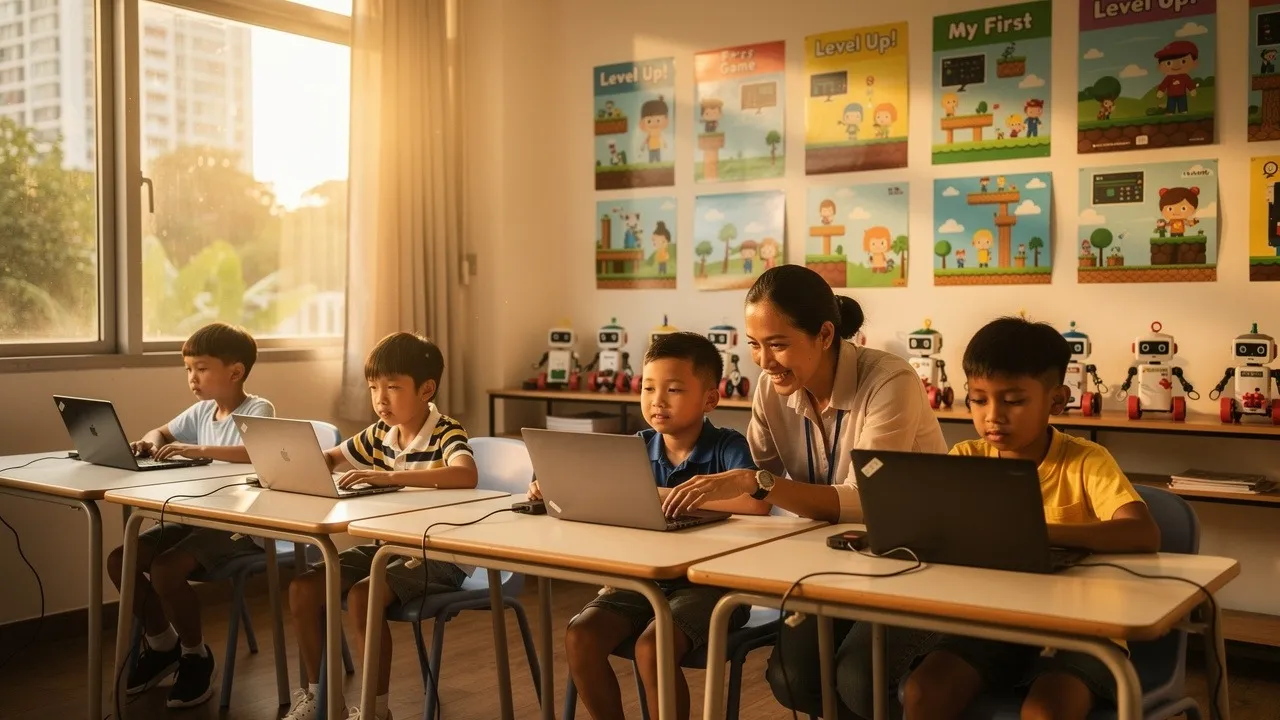
The first project should be simple enough to finish without becoming overwhelming.
A child might begin by making a character move across the screen, say a short message and play a sound. This introduces movement, appearance, sound and a starting event in one manageable project.
The next project could include keyboard controls. The child can programme the character to move in different directions when particular keys are pressed.
After learning basic controls, the child can create a simple collecting game. An object appears in different positions, and the player moves a character to catch it. Each successful catch increases the score.
The child can then add a timer, sound effects or an ending message.
Parents should allow the child to choose the theme. A familiar subject such as animals, space, sports or fantasy can make the project more engaging.
The aim of the first project is not perfection. It is to help the child understand that they can create a working programme by combining small instructions.
How Should Parents Support Scratch Learning at Home?
Parents do not need to become coding experts.
The most helpful approach is often to show interest and ask the child to explain what they are doing.
A parent might ask what the project is supposed to do, what part is currently difficult and what the child has already tried.
When something goes wrong, avoid immediately taking control of the device. Give the child time to inspect the blocks and test a possible solution.
Parents can also encourage children to plan before coding. The child can describe the project, draw the game screen or explain the rules in simple sentences.
Short, regular sessions may be more productive than a long session that causes frustration. The child should have enough time to explore but should not feel pressured to complete an advanced project immediately.
It is also useful to discuss responsible technology use. Children can learn that a computer is not only a source of entertainment but also a tool for creating, experimenting and solving problems.
Is Learning Scratch at Home Enough?
Home exploration can be an effective introduction.
Children can experiment with movement, animation and simple games while parents observe whether they enjoy coding.
However, children may eventually repeat the same types of projects or rely heavily on guided examples. They may know how to make something work without fully understanding the underlying concept.
A structured class can introduce concepts in a planned sequence. The teacher can identify gaps, adjust the difficulty and encourage children to explain their decisions.
Classes can also provide opportunities for teamwork, presentation and project feedback.
The choice depends on the child’s goals. Casual home exploration may be enough for a child who is simply curious. A structured programme may be more suitable for a learner who wants to develop steadily, work on increasingly complex projects or connect coding with robotics and STEM.
What Should Parents Look for in a Scratch Coding Programme?
A good Scratch programme should provide more than a collection of unrelated projects.
The curriculum should begin with simple concepts and gradually increase the level of challenge. New projects should require children to apply earlier knowledge rather than forget it after one lesson.
The teacher should explain why the coding works. Children should not spend the entire lesson copying blocks from a screen without understanding their purpose.
There should be room for personalisation. After completing a guided activity, learners should be encouraged to change the design, rules or features.
The class should also provide enough time for debugging. A project that works instantly because the teacher supplied every answer may not produce meaningful learning.
Parents should receive a reasonable understanding of what their child is learning. Progress can be seen through completed projects, clearer explanations, greater independence and the ability to use concepts in a new situation.
How Does Meta Robotics Teach Scratch Coding?
Meta Robotics combines coding with games, animation, robotics, design and hands-on STEM learning.
The academy’s NEBULA™ Neuro-Builder model guides children through a learning cycle in which they plan a solution, construct or design the project, code the required actions, analyse the result and present or test the final outcome.
This process encourages children to understand the purpose of their coding instead of merely following instructions.
The curriculum also uses spiral learning. Important concepts return through new projects with increasing difficulty. A child may first use a simple event to start an animation and later apply event-based logic to a game or robotics challenge.
Meta Robotics’ High Ranker Programme, designed for children aged 7 to 9, integrates robotics, coding, games, animation, science, mathematics and design. Students can begin with visual programming concepts before progressing towards more complex projects.
Older learners can continue through programmes that introduce more advanced robotics, coding, game development, machine learning concepts and independent problem-solving. This creates a pathway from early visual coding to broader technology learning.
How Can Scratch Connect With Robotics?
Screen-based coding becomes more concrete when children can use instructions to control a physical build.
In a digital project, a coding block may move a character across the screen. In robotics, a similar instruction may control a motor or determine how far a robot travels.
Children then need to consider both the programme and the construction.
If a robot does not move correctly, the problem may be caused by the coding, the position of a component, the structure of the build or the way a sensor is used.
This encourages children to investigate several possible causes instead of assuming every problem has the same solution.
Connecting visual coding with robotics can also make mathematical and scientific concepts easier to observe. Distance, speed, angles, balance and cause and effect become part of a working project.
What Comes After Scratch Coding?
Scratch is usually a foundation rather than the final stage of a child’s coding education.
Before moving on, children should be able to create projects with less step-by-step support. They should understand how to use events, loops, conditions and variables and be able to explain how their programme works.
The next stage may involve more advanced Scratch projects. Children can build games with multiple levels, more complex rules, reusable blocks and detailed scoring systems.
They may also apply visual coding to robotics, where instructions control physical movements and sensor responses.
Text-based programming can be introduced when the child is ready. Languages such as Python use many of the same ideas that children encounter in Scratch. The difference is that the instructions must be typed.
A child who already understands sequencing, conditions, loops and variables can focus on learning the new syntax instead of learning programming logic from the beginning.
Can Scratch Coding Support DSA Preparation?
Scratch projects can contribute to a broader coding or robotics portfolio when they demonstrate genuine skill development.
A strong project should show more than the ability to copy a tutorial. The child should be able to explain the idea, describe the coding concepts used and discuss how problems were solved.
Longer projects can provide stronger evidence of planning, persistence and independent thinking. Competition experience, robotics projects, teamwork and presentation skills may also contribute to a more complete learning profile.
Meta Robotics offers a 45-hour DSA programme for students aged 9 to 12. The programme combines robotics, coding, portfolio development, competition preparation and presentation practice.
Participation in a programme does not guarantee a successful application. A meaningful DSA pathway should reflect the child’s genuine interest, sustained development and ability to communicate what they have learned.
How Long Does It Take to Learn Scratch?
Children can understand basic movement and animation within their first few lessons.
Developing independent coding ability takes longer.
A beginner may initially need help locating blocks and arranging instructions. With regular practice, the child can begin making small changes without guidance.
The next stage involves combining several concepts in one project. A game may require movement, scoring, conditions, sound and an ending sequence.
More advanced learners can design projects from their own ideas, organise longer scripts and identify problems independently.
Progress depends on the child’s age, lesson frequency, experience, confidence and the complexity of the projects.
Parents should look for steady development rather than expecting a fixed timeline. Greater independence and clearer explanations are often better signs of progress than the number of projects completed.
What Common Mistakes Should Scratch Beginners Avoid?
One common mistake is attempting a very complicated project too early.
A child may imagine a large adventure game with many characters and levels but become frustrated before completing the first stage. It is usually better to create one working feature and add complexity gradually.
Another mistake is copying projects without understanding the blocks. Guided examples can be helpful, but the child should be able to explain what the main instructions do.
Children may also add too many blocks before testing the project. Testing smaller sections makes it easier to identify where a problem begins.
Parents and teachers should avoid correcting every mistake immediately. The child needs opportunities to investigate and make decisions.
Finally, children should not be rushed into text-based coding solely because it appears more advanced. A strong understanding of visual programming concepts can make the later transition much smoother.
How Can Parents Evaluate a Scratch Trial Class?
During a trial class, parents should observe the learning process rather than focusing only on the finished project.
The teacher should communicate clearly and allow enough time for the child to think. Support should be available when needed, but the instructor should not complete every task on the child’s behalf.
Parents can observe whether the child asks questions, experiments with the project and remains willing to continue after encountering a problem.
After the class, ask the child to explain what was created. A child who can describe the project, identify a difficult part and explain how it was solved has probably been actively involved in the learning.
It is also useful to ask what the next level of the programme will cover and how the curriculum becomes more challenging over time.
Meta Robotics offers trial-class opportunities for families who would like to experience its coding and robotics approach before selecting a regular programme.
Frequently Asked Questions About Scratch Coding
Is Scratch Coding Suitable for Complete Beginners?
Yes. Scratch is designed to make programming logic easier to see and understand. Children can begin with simple movement and animation before learning more complex concepts.
Does My Child Need Previous Coding Experience?
No previous coding experience is required for beginner-level Scratch activities. Children with prior experience may need more advanced projects to remain challenged.
Is Scratch Only for Young Children?
No. Scratch is commonly associated with school-age learners, but older beginners can also use it to understand programming concepts before moving towards text-based coding.
Can Scratch Be Used to Create Real Games?
Yes. Children can create games with controls, scoring, timers, levels, lives, obstacles and different endings. The complexity depends on the learner’s experience.
Is Scratch Coding the Same as Robotics?
No. Scratch coding controls digital characters and projects, while robotics combines coding with physical components, movement and sensors. The two can be connected through hands-on learning.
Can Scratch Help a Child Who Does Not Enjoy Mathematics?
Yes. Scratch includes logical and mathematical ideas, but they are applied through games, stories, design and interactive projects. Some children may respond more positively when concepts have a visible purpose.
How Often Should a Child Practise Scratch?
Regular practice is more important than very long sessions. A consistent weekly lesson or several short practice periods can help children remember concepts and build confidence.
Should Parents Learn Scratch With Their Child?
Parents can explore the first project with their child, but they do not need to become the instructor. Showing interest and asking thoughtful questions can provide valuable support.
When Should a Child Move From Scratch to Python?
A child may be ready when they understand loops, conditions, events and variables and can build projects with less guidance. Readiness matters more than age alone.
Can Scratch Projects Be Included in a Coding Portfolio?
Yes. A project can contribute to a portfolio when the child understands the coding, can explain the development process and has made meaningful decisions rather than simply copying a tutorial.
Are Structured Scratch Classes Better Than Learning at Home?
Both approaches can be useful. Home learning is suitable for initial exploration, while a structured programme provides progression, teacher guidance, feedback and opportunities to connect coding with wider STEM projects.
Where Can Children Learn Scratch Coding in Singapore?
Meta Robotics provides age-based coding, robotics and STEM programmes for children aged 3 to 16. Scratch-related learning is integrated with games, animation, design and hands-on problem-solving within suitable programme levels.
Conclusion
Best Scratch coding gives children an approachable way to understand how digital projects are created.
By arranging visual blocks, learners can build animations, games and interactive stories while developing real programming concepts such as sequencing, events, loops, conditions and variables.
The greatest value does not come from completing as many projects as possible. It comes from learning how to plan an idea, test a solution, identify a problem and make improvements.
Parents can begin with a small project and observe how their child responds. A learner who enjoys experimenting, asking questions and improving a project may be ready for a structured coding programme.
Meta Robotics supports this progression by connecting coding with games, animation, robotics and hands-on STEM learning. Its age-based curriculum allows children to begin with accessible visual concepts and advance towards more complex technology projects as their confidence and ability develop.
For many children, the first Scratch animation or game is only the beginning. With appropriate guidance and regular practice, that early project can become a foundation for stronger reasoning, creativity, resilience and continued interest in coding and robotics.


The Basic Types of Communication Training for An Organization
